One file per folder
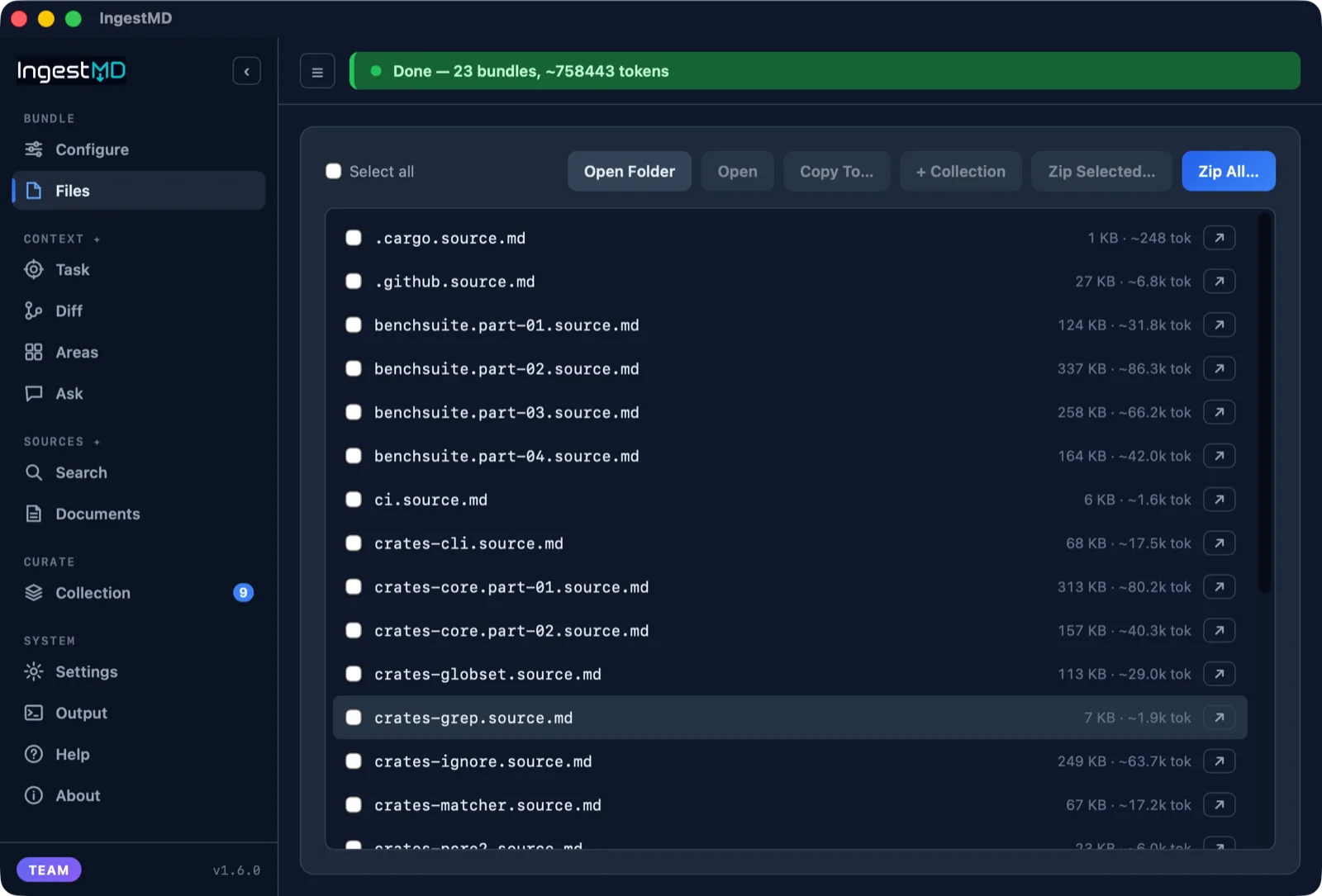
Every source file embedded verbatim in fenced code blocks. Large subtrees split into parts. No more dragging files in one by one.
The annoying part
Feeding a project to an AI tool means flattening the tree, skipping binaries and dependencies, watching for leaked keys, and staying under a token budget. IngestMD does all of that in one click, so a whole folder becomes a handful of clean files you can drop straight in.
What it does
Every source file embedded verbatim in fenced code blocks. Large subtrees split into parts. No more dragging files in one by one.
API keys, tokens, and private keys are scrubbed before anything is written, so you never paste a credential into a chat.
Binaries, node_modules, build output, and anything in your .gitignore stay out. Add your own exclude patterns too.
Every bundle shows an approximate token count, so you know the context cost before you load it into a model.
Discovery, bundling, and redaction run on your machine, offline, with no account or telemetry. The only network egress is opt-in: your own local LLM, the optional Pro cloud models, and Confluence retrieval.
Eight tools over MCP for Claude Code, Cursor, VS Code, or Codex. List the areas in a repo, load just one, name them with your local model, or pull task and diff context. Ask in plain language and the AI picks the tool.
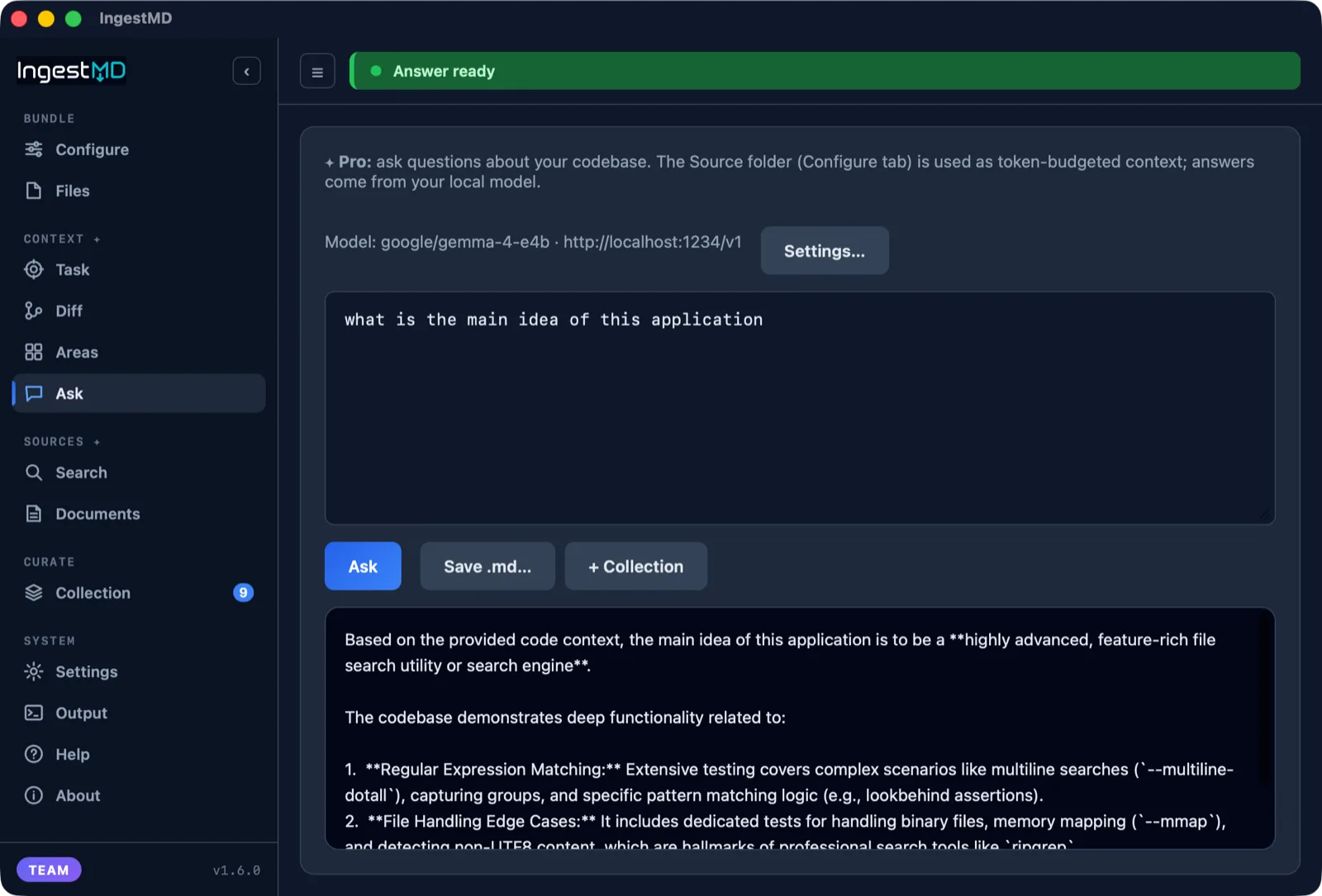
Point IngestMD at your own local LLM server (Ollama or LM Studio) and ask questions about a repo. It builds a token-budgeted context and answers on your machine, no cloud, no API key.
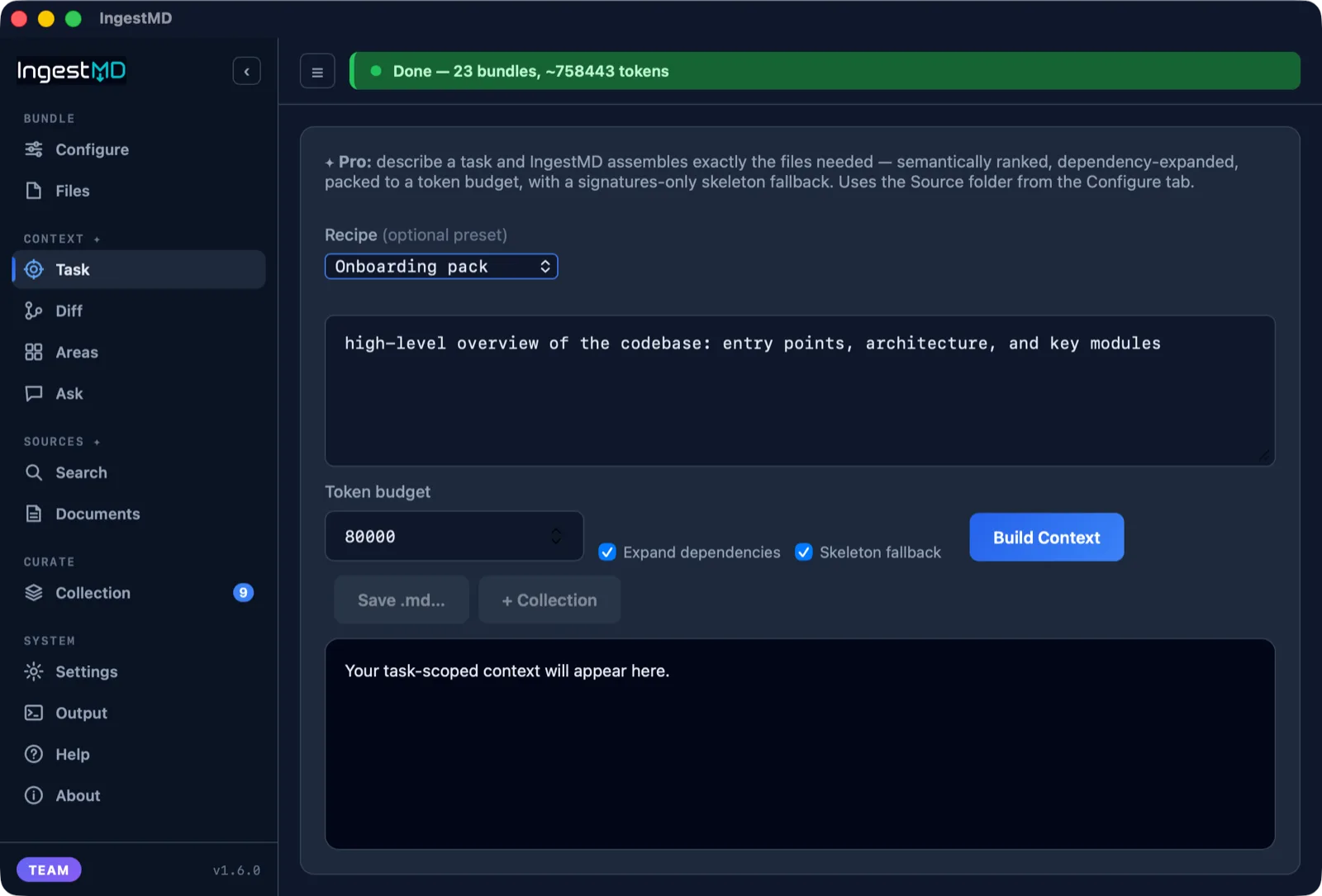
Describe a task and IngestMD assembles exactly the files you need: semantically ranked, dependency-expanded, packed to a token budget, with a signatures-only skeleton fallback. Plus a quality score and a "why each file was included" manifest.
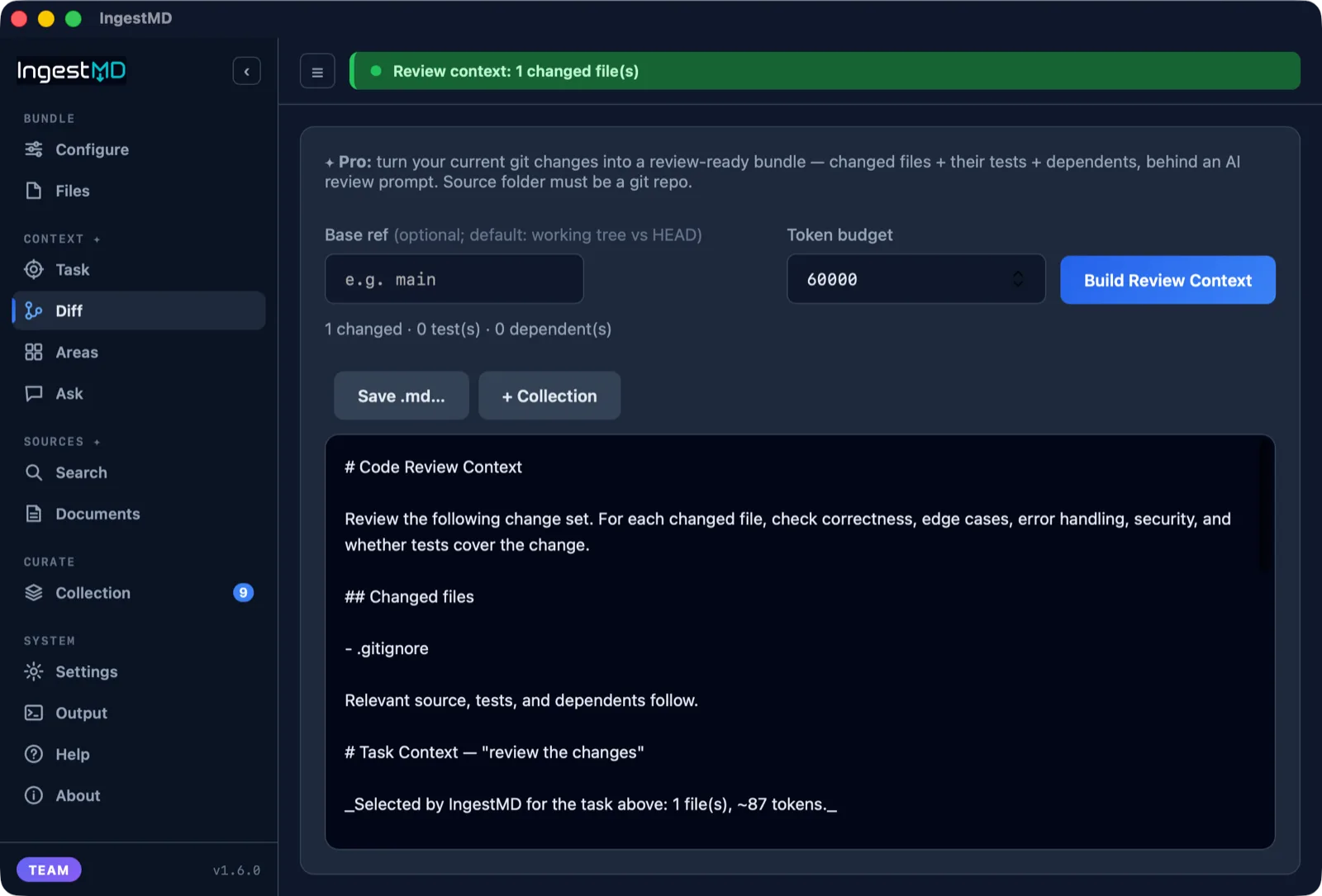
Turn your current git changes into a review-ready bundle: changed files, their tests, and their dependents, behind an AI review prompt. Diff against your working tree or any base branch.
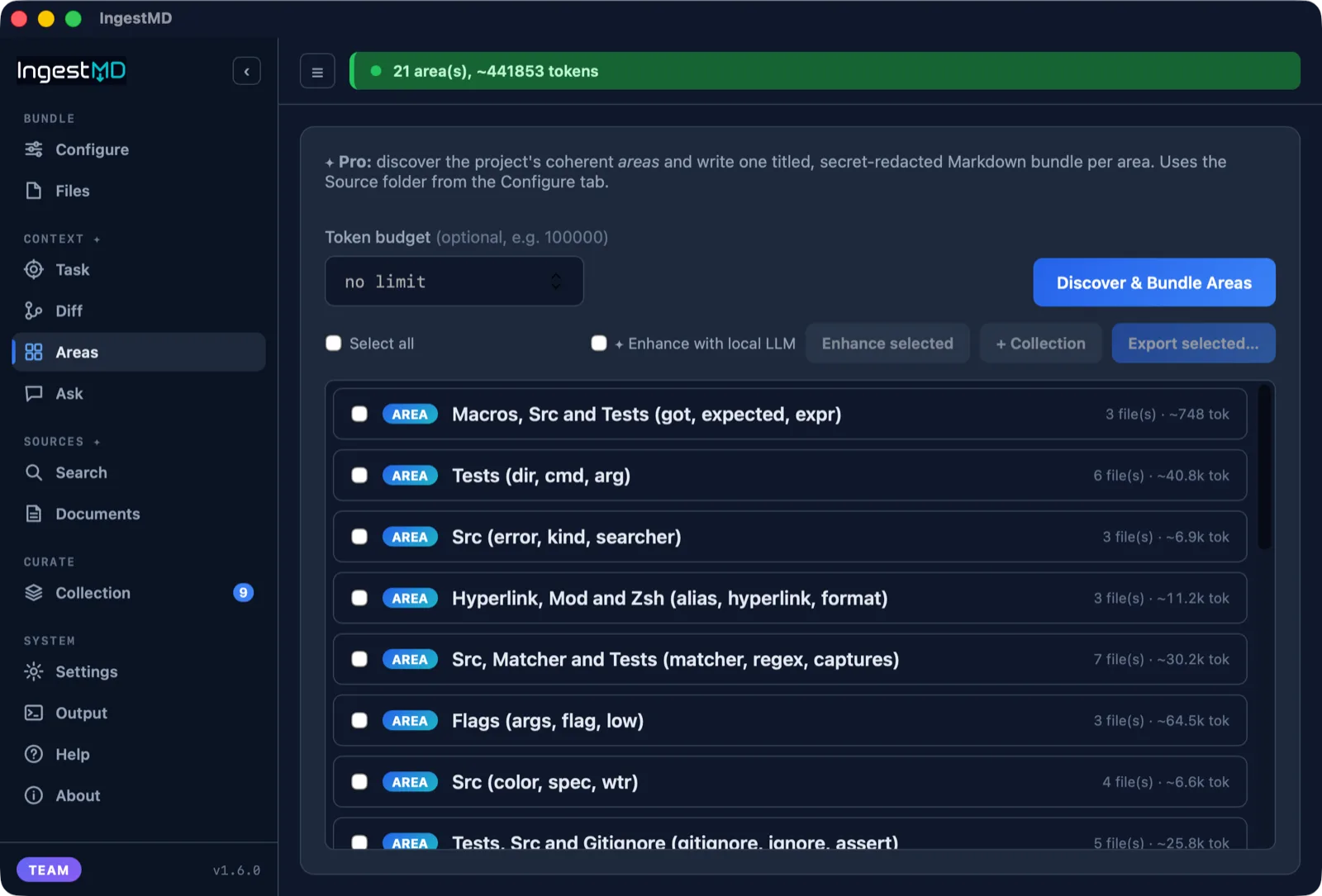
IngestMD clusters a repo into its real subsystems by imports and shared terms, then writes one titled, budget-packed bundle per area. Deterministic and collision-free across large, small, and Salesforce projects. Focused context instead of a flat dump.
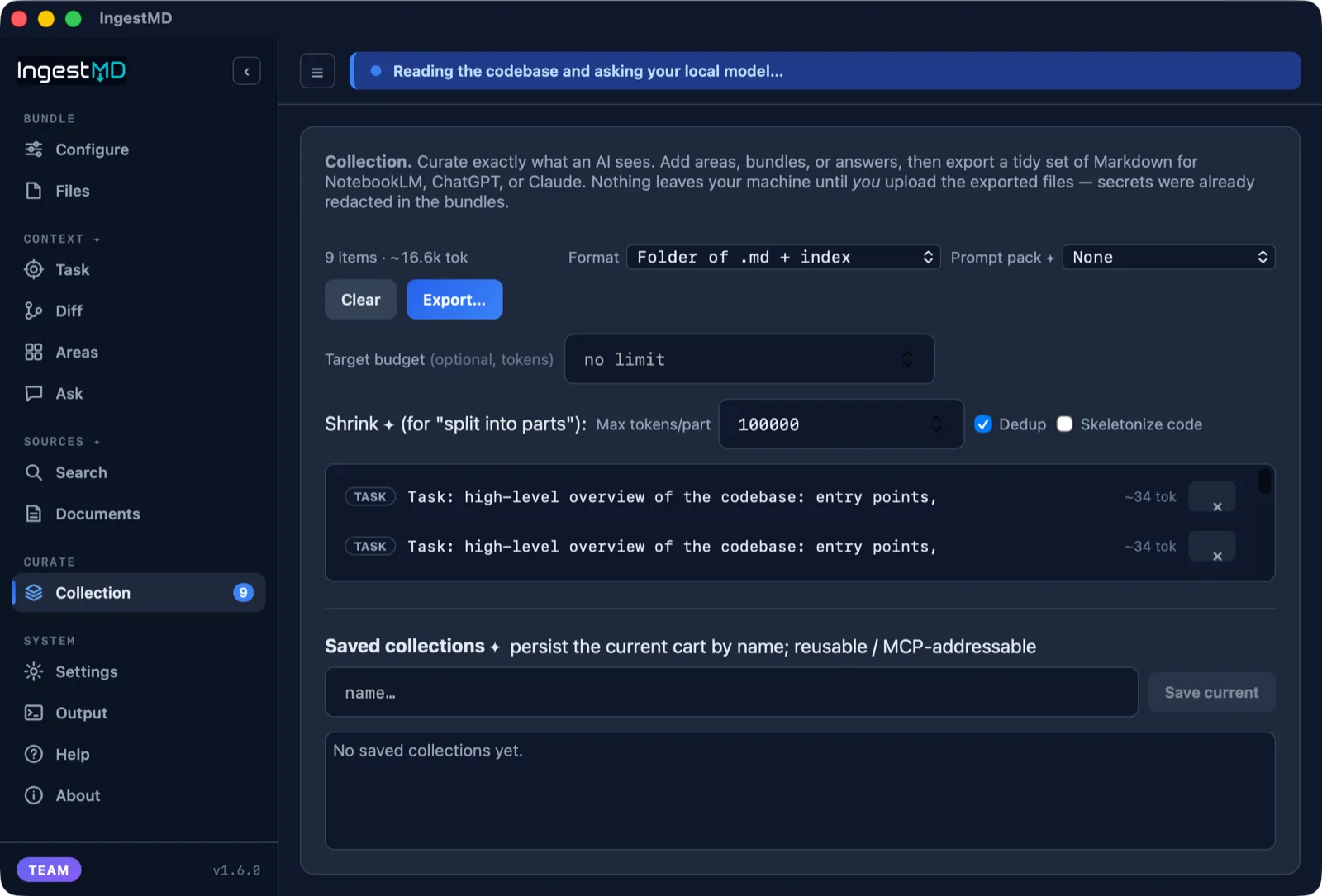
Build a cart of bundles, areas, answers, and task or review contexts, then export a tidy set of Markdown with an index. Save collections by name to reuse, or serve them to AI clients over MCP.
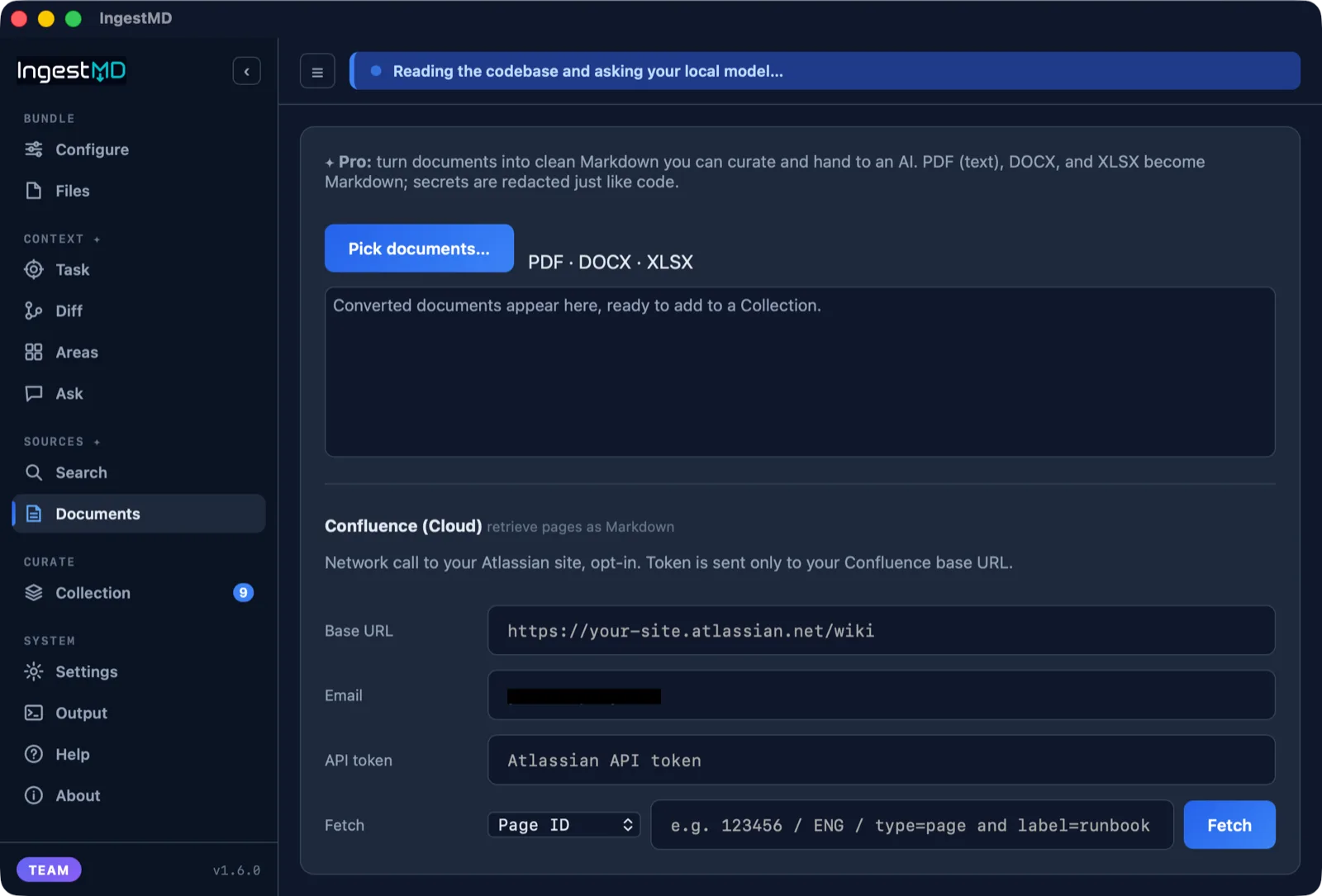
Turn PDFs, Word docs, and spreadsheets into clean Markdown. XLSX sheets become tables, DOCX keeps its headings, secrets are redacted like code. Pull Confluence Cloud pages, spaces, or CQL queries straight into Markdown too.
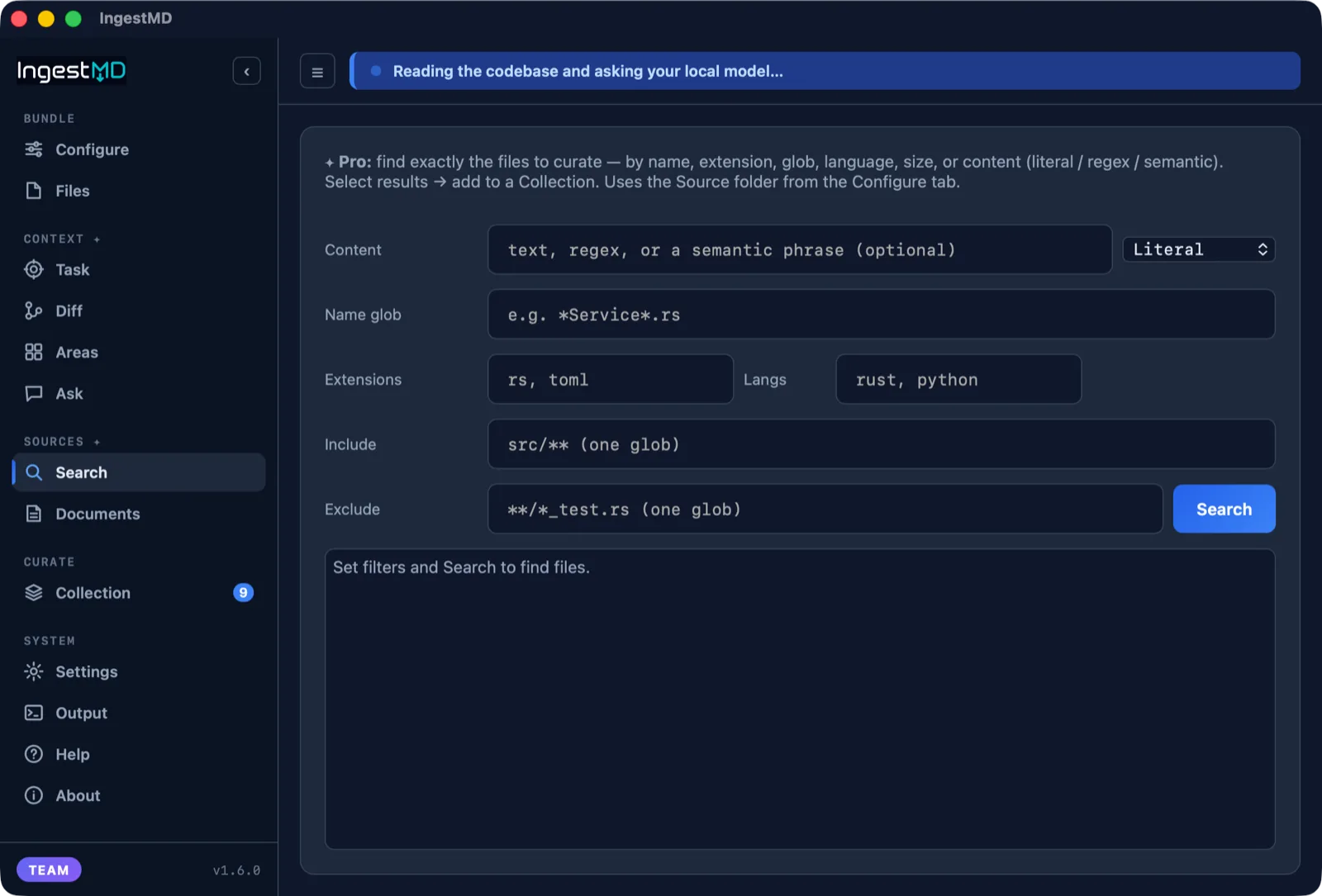
Search your repo by name, extension, glob, language, size, or content (literal, regex, or semantic), then add the matches straight to a collection. Stop dumping whole folders, and hand the AI precisely the files that matter.
Have your local or a low-cost cloud model give each area a clear title and a plain description, then generate a deeper brief (purpose, key files, data flow, entry points) when you want to understand one fully. Saved, searchable, and shared with the MCP server.
Copy a ready-made prompt that locks a cloud AI to a single area with hard boundaries: answer only from these files, and ask before crossing into another. Self-contained for any chat, or MCP-aware so it can fetch more after you approve.
Prefer a hosted model for enhancement? Pick a low-cost one (OpenAI, Mistral, xAI, Gemini, DeepSeek, or any OpenAI-compatible endpoint). Your key stays in the OS keychain, and a cost estimate shows before you run.
Save a source folder and all its settings as a named project, then load it later to rescan. Start fresh in one click, and choose local or cloud per project.
Understands your code
Tested on 21 real open-source projects plus Salesforce orgs, fully offline and deterministic. It finds the natural areas, follows the imports, and connects the components, with the same result on every run.
Reads Python, JavaScript, TypeScript, Rust, Go, C, C++, C#, Dart and Flutter, and Salesforce Apex with SOQL.
On Salesforce it goes further: it groups LWC, Apex, and objects into the features they form, following @salesforce/apex calls and SOQL into your data model.
A real desktop app
Every screen, shot on a real repository.
How it works
Choose a source project, and optionally a separate output folder.
Toggle redaction and .gitignore, set grouping, add exclude globs.
One click. IngestMD scans once and writes clean Markdown.
Load the .md files into NotebookLM, ChatGPT, or Claude.
For AI clients
IngestMD ships an MCP server over stdio with eight tools. Free:
bundle, discover_areas, list_areas,
area_context, and enhance_areas (area naming runs in the desktop
app; the MCP serves the result). Pro adds task_context, diff_context, and saved
collection. Point a client like Claude Code at it and load a repo, or just one
area, as live context, with the same scanning and redaction as the app.
See the full MCP guide and prompts.
{
  "mcpServers": {
    "ingestmd": {
      "command": "/path/to/ingestmd-mcp"
    }
  }
}
Why IngestMD
Tools like Repomix and GitIngest are great when you want to flatten a whole repo into one file fast. IngestMD is built for the next problem: handing AI the right context, safely, without dumping everything and burning your token budget.
Pricing
The free bundler is fully featured and stays that way: safety is never paywalled. Pro unlocks intelligent, task-scoped context. Every download starts with a 3-day full Pro trial, no account and no card. Local-first: unlock later with a license key.
The deterministic bundler, trustworthy on its own.
Intelligent task context: the right files for the job.
Governed context: consistent, reproducible, audited.
Prices shown are introductory and may change. Every tier runs entirely on your machine.
Get it
Free and open to download. The macOS build is signed and notarized by Apple. Windows builds are not yet signed, so on first launch click "More info" then "Run anyway". Prefer no install? The Windows portable .zip runs straight from a folder, on any machine with the Edge WebView2 runtime (already on Windows 11 and current Windows 10). All releases »