Features

Everything IngestMD does, by what it does

A free, deterministic bundler at the core, with secret redaction that is never paywalled. Pro adds the intelligence: the right context for a task, a review bundle from your changes, a map of your subsystems. All of it runs on your machine.

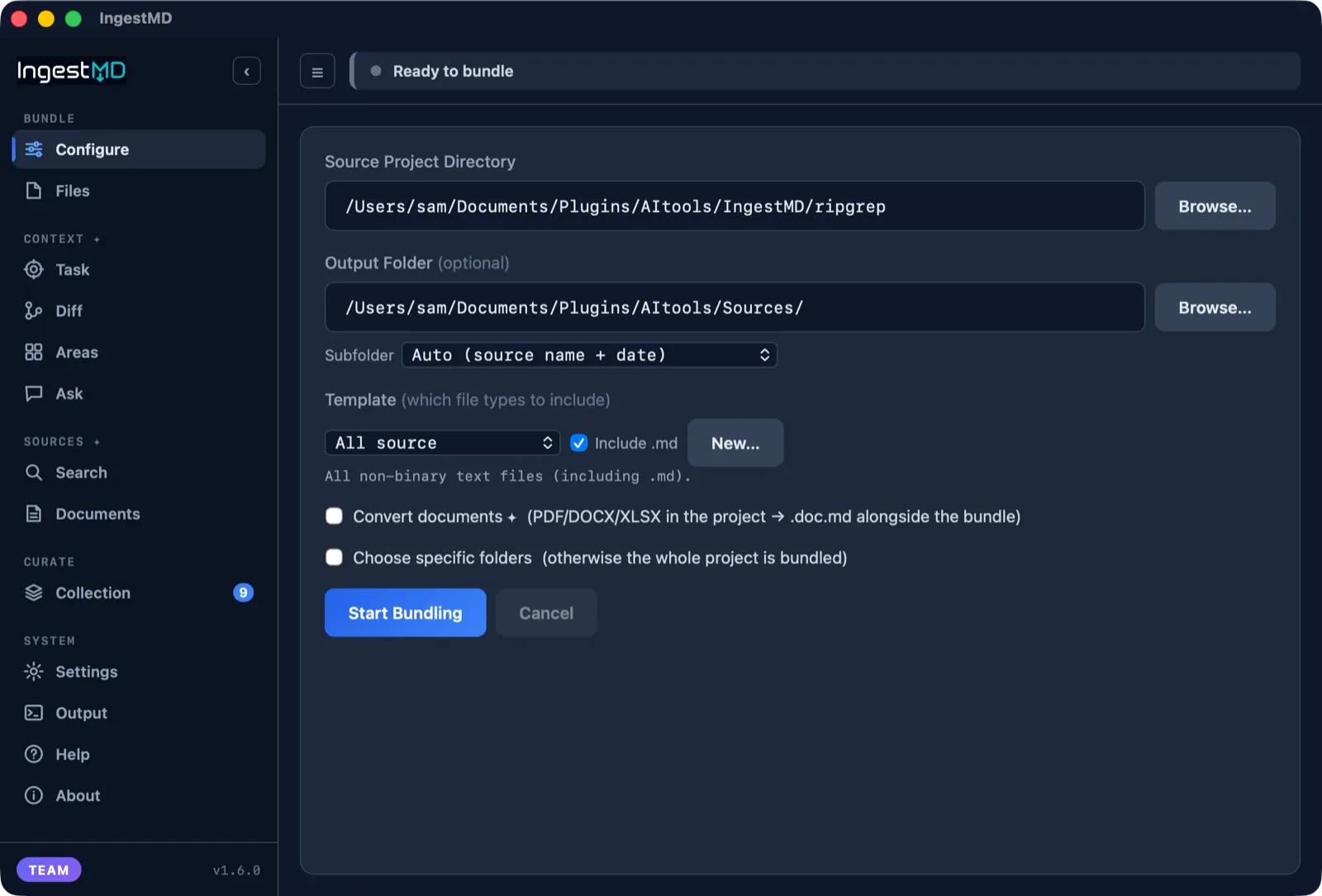
IngestMD Configure tab, picking a folder to bundle
The deterministic core Free

Turn any folder into clean Markdown, safely

Point at a repo and get tidy Markdown for NotebookLM, ChatGPT, or Claude. Deterministic, offline, with safety on by default. The free bundler is fully featured and stays that way.

  • One file per folder

    Every source file embedded verbatim in fenced code blocks. Large subtrees split into parts. No more dragging files in one by one.

  • Secrets redacted

    API keys, tokens, and private keys are scrubbed before anything is written, so you never paste a credential into a chat.

  • Skips the junk

    Binaries, node_modules, build output, and anything in your .gitignore stay out. Add your own exclude patterns too.

  • Token counts

    Every bundle shows an approximate token count, so you know the context cost before you load it into a model.
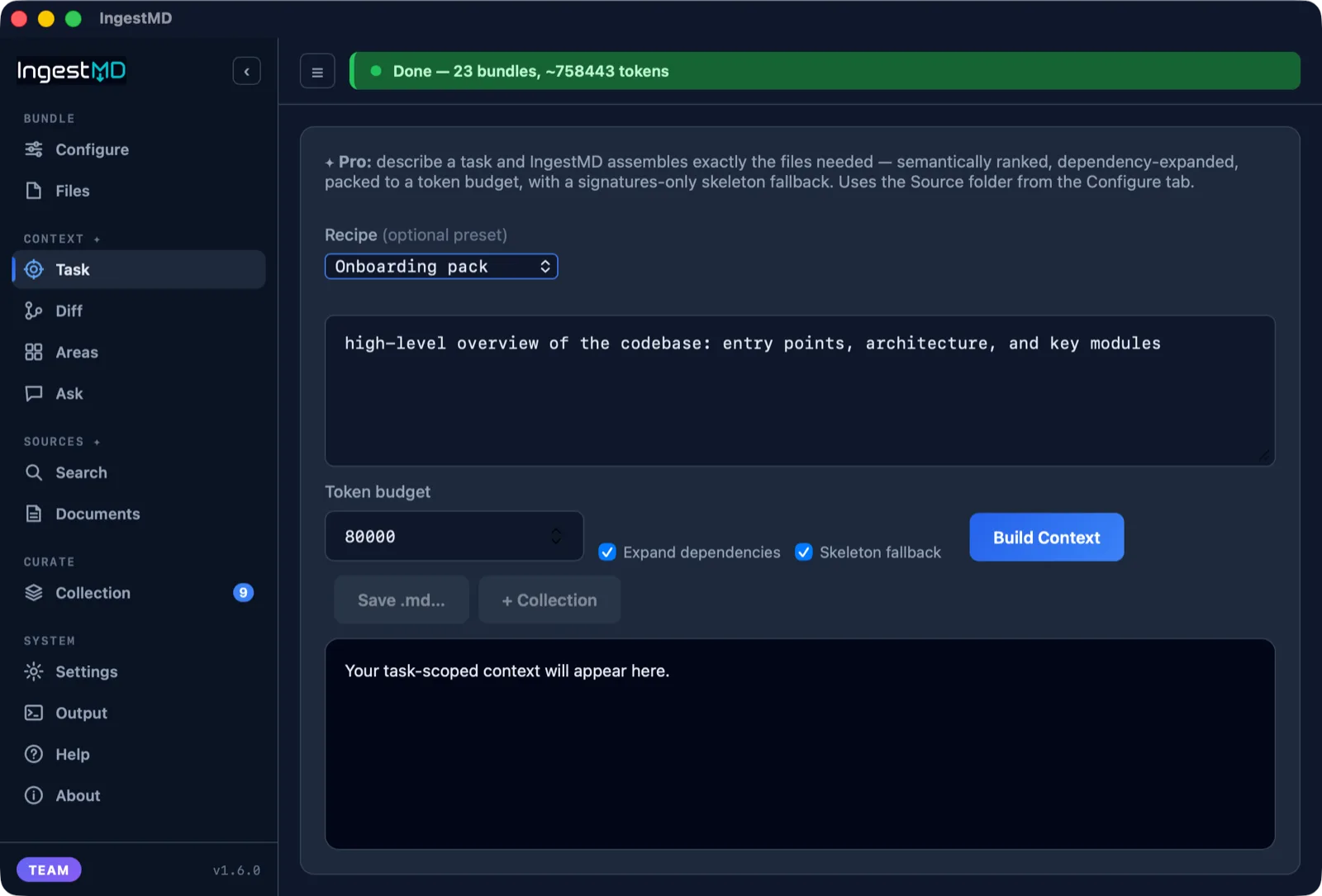
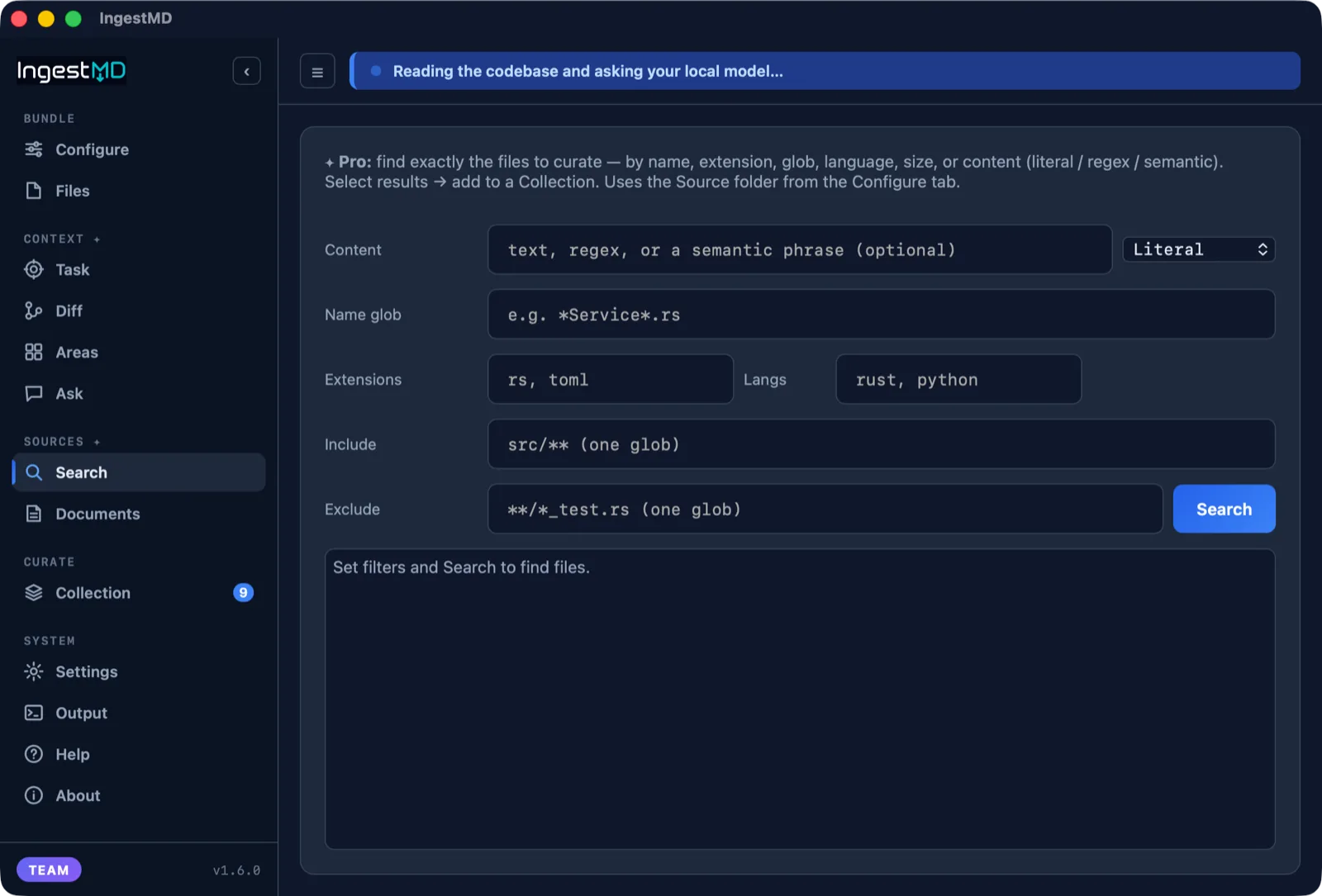
IngestMD Task context ranking and packing files to a budget
Context intelligence Pro

Hand the AI exactly the files the job needs

Describe a task and IngestMD assembles the right context instead of dumping the whole repo: ranked, expanded along dependencies, packed to a token budget, and scored.

  • Rank, expand, pack Pro

    Files are semantically ranked, dependency-expanded, and packed to a token budget, with a signatures-only skeleton fallback when space runs short.

  • Quality score Pro

    A 0 to 100 score on the assembled context, so you know it is solid before you spend it on a model.

  • A reason for every file Pro

    A manifest explains why each file was included, and recipes capture a reusable shape for common jobs. No black box.

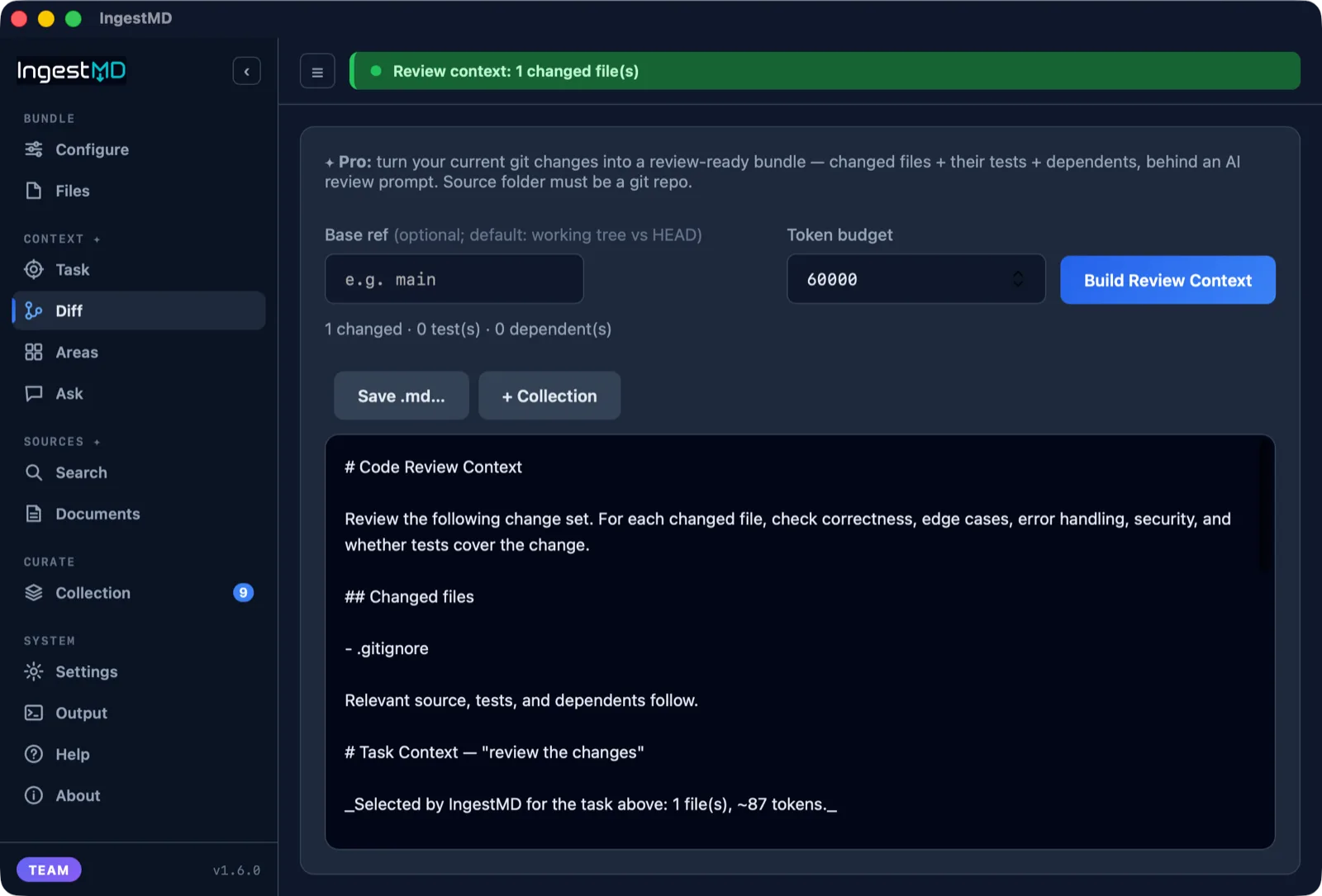
IngestMD Diff tab building a review bundle from git changes
Diff-aware context Pro

Turn your git changes into a review bundle

Pasting a raw diff loses the context that matters. IngestMD gathers the changed files, their tests, and what depends on them, behind an AI review prompt.

  • Changes, tests, and dependents Pro

    The changed files, the tests that cover them, and the code that depends on them, in one bundle, so a review catches the ripple effects.

  • Any base ref Pro

    Diff against your working tree or any base branch, then hand the bundle to a cloud AI or your own local model.

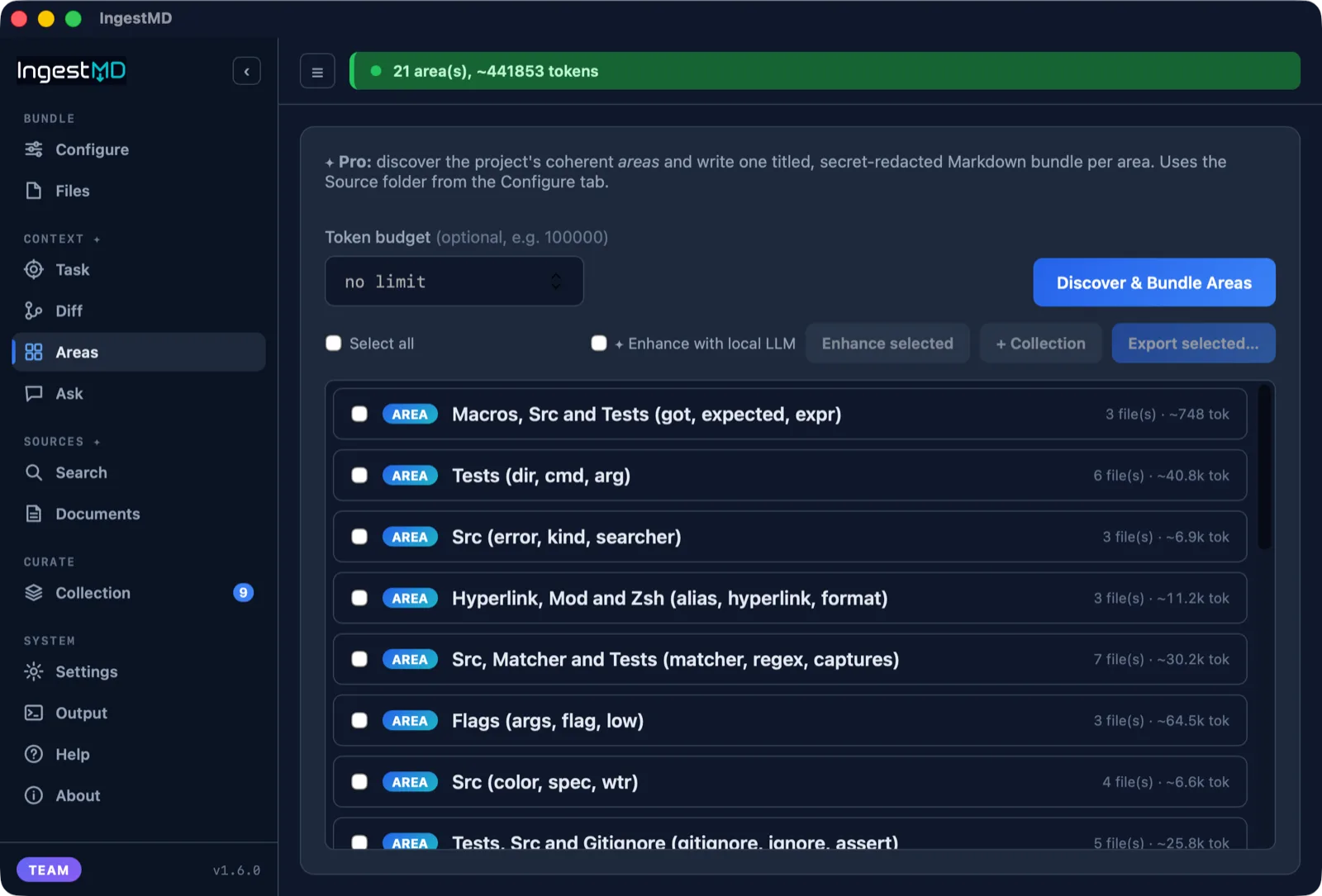
IngestMD Areas tab showing discovered subsystems
Understands structure Pro

Map a codebase into its real subsystems

IngestMD clusters a repo into its real areas by imports and shared terms, then writes one titled, budget-packed bundle per area. Deterministic and collision-free across large, small, and Salesforce projects.

  • Discover areas Pro

    Focused context instead of a flat dump: the codebase split into coherent subsystems, the same result on every run.

  • Name and explain Pro

    Have your local or a low-cost cloud model give each area a clear title and a plain description, then a deeper brief: purpose, key files, data flow, entry points.

  • Scope a cloud AI to one area

    Copy a ready-made prompt that locks a cloud AI to a single area with hard boundaries: answer only from these files, and ask before crossing into another.

See area discovery on real repositories »
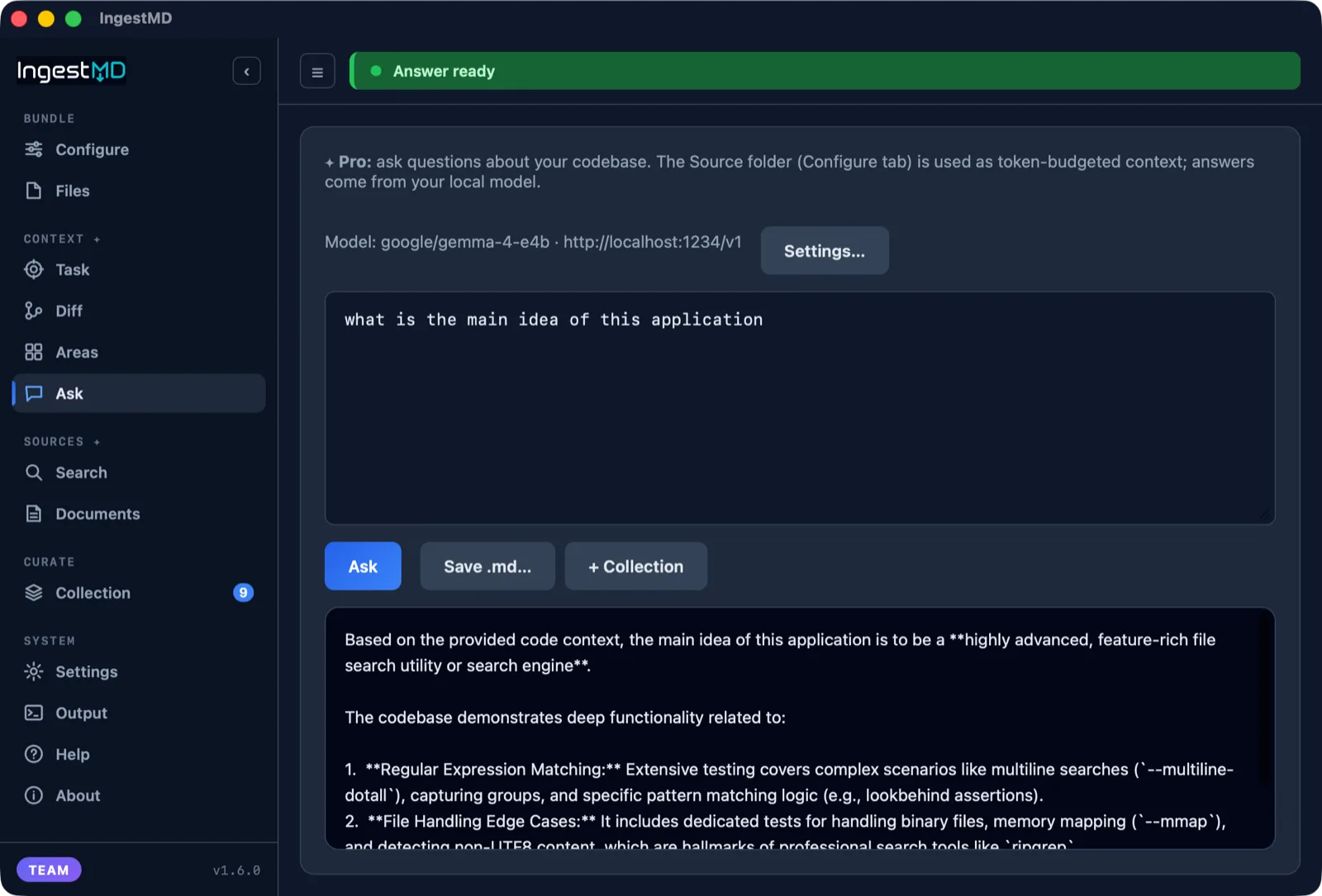
IngestMD Ask tab answering a question about the codebase
Your own model Local

Ask your codebase, answered on your machine

Point IngestMD at your own local LLM server and ask questions about a repo. It builds a token-budgeted context and answers on your machine, no cloud, no API key.

  • Local by default

    Bring Ollama or LM Studio. IngestMD builds the context and sends it to the model you run, so codebase questions get answered without a cloud round-trip.

  • Cloud models, your key Pro

    Prefer a hosted model for enhancement? Pick a low-cost one (OpenAI, Mistral, xAI, Gemini, DeepSeek, or any OpenAI-compatible endpoint). Your key stays in the OS keychain, with a cost estimate before you run.

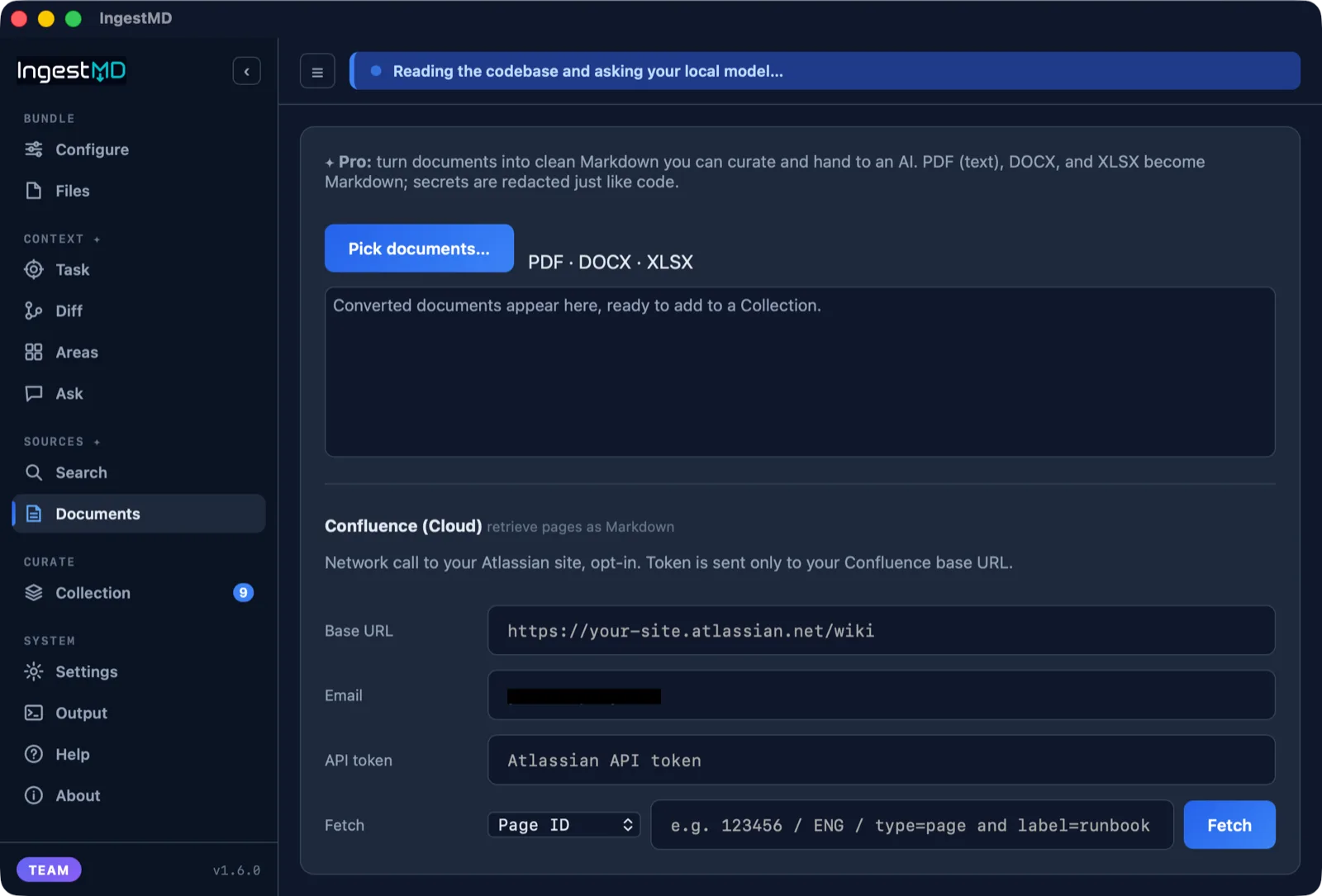
IngestMD Documents tab converting files and retrieving Confluence
Beyond code Pro

PDFs, Office files, and Confluence into Markdown

The same clean, redacted Markdown for documents, not just code. Turn a pile of files, or a whole wiki, into context an AI can read.

  • Ingest documents Pro

    PDFs, Word docs, and spreadsheets become clean Markdown. XLSX sheets turn into tables, DOCX keeps its headings, secrets are redacted like code.

  • Pull from Confluence Pro

    Retrieve Confluence Cloud pages, a whole space, or a CQL query straight into Markdown, ready to brief a model or load into NotebookLM.

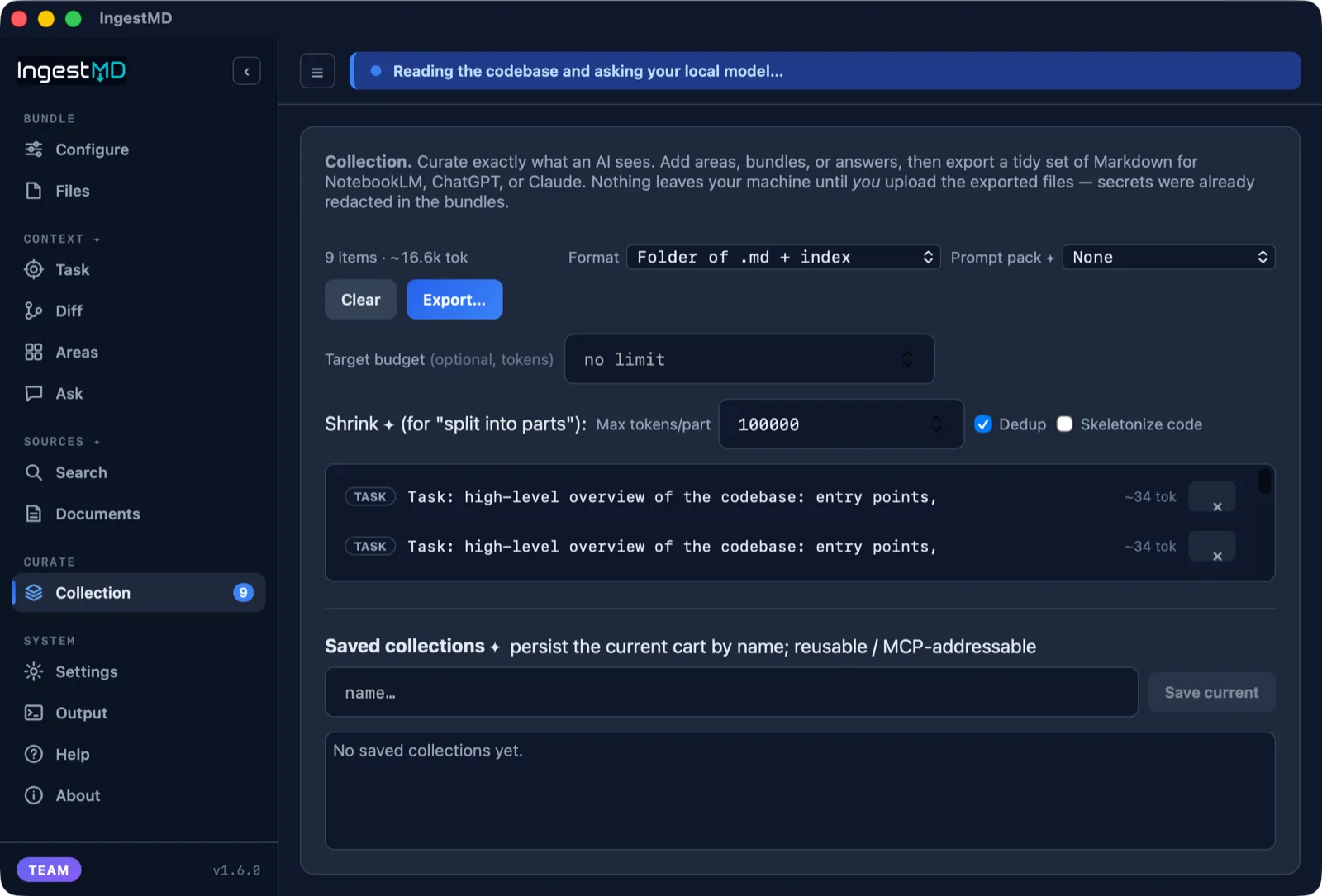
IngestMD Collection curating bundles for export
Curate and reuse Free

Curate exactly what you hand an AI

Build a cart of bundles, areas, answers, and contexts, then export a tidy set of Markdown with an index, or serve it to AI clients over MCP.

  • Build a Collection

    Collect bundles, areas, answers, and task or review contexts into one set, export it with an index, or save it by name to reuse.

  • Save projects

    Save a source folder and all its settings as a named project, then load it later to rescan. Start fresh in one click, local or cloud per project.

IngestMD area discovery on a Salesforce project
Salesforce-aware Pro

Groups Apex, LWC, and metadata into features

On Salesforce, IngestMD goes further than a file dump. It groups LWC, Apex, and objects into the features they form, following the wiring between them.

  • Metadata-aware areas Pro

    Components, custom objects, Apex, and Lightning pages grouped by what they are, mapped on a laptop in about a second.

  • Follows the wiring Pro

    Tracks @salesforce/apex calls and SOQL from a component into the objects it touches, so the area is the real feature, not a folder.

See IngestMD for Salesforce »
{
  "mcpServers": {
    "ingestmd": {
      "command": "/path/to/ingestmd-mcp"
    }
  }
}
For AI clients Free

An MCP server, built in

Point a client like Claude Code, Cursor, VS Code, or Codex at IngestMD and load a repo, or just one area, as live context, with the same scanning and redaction as the app. Ask in plain language and the AI picks the tool.

  • Free tools

    bundle, discover_areas, list_areas, area_context, and enhance_areas (area naming runs in the desktop app; the MCP serves the saved result).

  • Pro tools Pro

    task_context, diff_context, and saved collection, the same context intelligence served straight into your editor.

Read the full MCP guide and prompts »

All of it, free to try

Download free and start with a 3-day full Pro trial. No account, no card, nothing leaves your machine.